

Trade on MT5.See more. Control more.
Analyse six RG CFD market categories, manage orders and test ideas through the forward-looking MetaTrader workspace.
Already registered? Choose your MT5 download

 Recommended
More market context.More ways to act.
MT5 brings analysis, order management and strategy testing into one connected desktop workspace—with mobile access for the trading day around it.
Built-in indicators
Add custom MQL5 indicators when your workflow calls for them.
Analytical objects
Timeframes
Pending-order types
Market Depth
Economic calendar
EAs, indicators and scripts
Multi-threaded Strategy Tester
Test and optimise on historical or simulated data. Backtests do not predict future performance.
From market view.To controlled action.
Explore a practical MT5 workflow. Each step focuses the workspace around one decision.
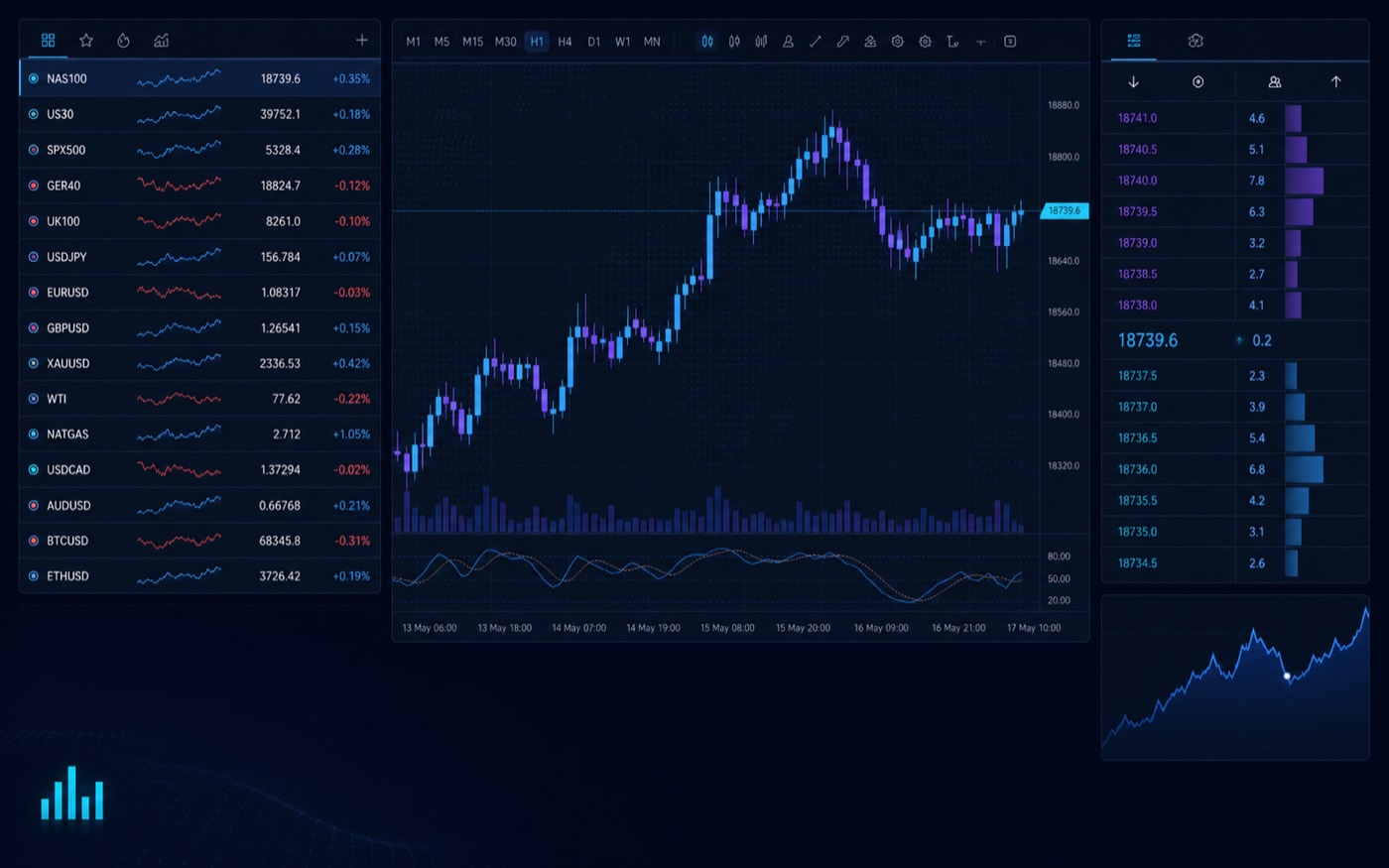
Find a market
Build watchlists, compare charts and open Market Depth where the instrument supports it.
- Workspace focus
- Watchlist → chart → context
- Example
- NAS100
Six market categories.One familiar workspace.
Explore the RG market guides before you choose an instrument. Final availability follows the applicable account, entity and product schedule.
Forex
Metals
Indices
Energy
Stock CFDs
Crypto CFDs
Explore the platform concepts
Build a clearer picture of the tools, workflows and limits behind the MT5 workspace.
Market Depth and DOM
See how MT5 displays available order-book depth where the instrument supports it.
Read articleBuilt-in indicators
Understand the indicator library and how to apply tools without crowding the chart.
Read articleAnalytical objects
Use drawing tools and overlays to add structure to your chart review.
Read articleTimeframes
Compare 21 chart periods and choose a view that matches the decision in front of you.
Read articleExpert Advisors, MQL5 and scripts
Learn where automation, custom indicators and scripts fit within the desktop workflow.
Read articleStrategy Tester and backtesting limits
Explore testing and optimisation while keeping historical-data limitations visible.
Read articleBuilt for what is next.Clear about what changes.
MT4 remains an established secondary platform. MT5 expands the analytical, order and testing environment for a broader modern workflow.
Recommended platformMetaTrader 5Established platformMetaTrader 4Planning a move from MT4?MT4 and MT5 are separate environments. Positions, templates, logins and MQL4 code do not transfer automatically; EAs and indicators may require conversion and retesting.
Read the MT4 vs MT5 guideChoose MT5 first.Then compare the pricing route.
Standard, ECN, Pro and Cent can use the MT5 workspace through different pricing, eligibility and market-scope structures.

Standard
Straightforward pricing with no separate trading commission.
- Costs primarily reflected in the spread
- Standard account-opening route

ECN
Raw market pricing with commission shown separately.
- Raw spread & commission shown separately
- Multi-provider liquidity route

Pro
Account conditions confirmed through manual review.
- Manual review from the first Pro account
- Final conditions confirmed after review

Cent
Focused position sizing across a selected market range.
- Trade sizes from 0.01 lots
- Focused four-market product scope
Pricing belongs in the approved schedule.Confirm current spreads, commissions, leverage, financing, minimum deposit, products and eligibility before opening an account.
Review pricing and feesTrade on MT5.Or explore RockCopy.
MT5 remains your direct-trading workspace. RockCopy is our separate experience from MetaQuotes Signals, where you can review providers and decide whether to follow a strategy. Compare performance evidence, drawdown, activity, controls and costs before allocating funds.
- 01Review evidencePeriod, return, drawdown and activity
- 02Set controlsAllocation and risk parameters
- 03Monitor continuouslyPause or stop when needed

- Active days
- Max drawdown
- Risk label
- Medium
Illustrative interface, not a real provider or recommendation. Past performance does not guarantee future results.
Learn the workspace.Then build the process.
Four focused routes take you from first login to orders, testing and execution risk.
MT5 foundations
Install MT5, find the RG server and understand the core workspace.
Read the guideOrders and positions
Compare market, pending and protective orders before you trade.
Read the guideStrategy Tester & MQL5
Learn what backtesting can—and cannot—tell you.
Read the guidePlatform risk & execution
Understand margin, slippage, connectivity and automated-trading risk.
Read the guideA clearer platform route.From account to action.
Understand the market, account, costs and platform before moving into the secure trading environment.
Regulated account pathway
Entity and eligibility are confirmed through onboarding.
MT5 recommended. MT4 available.
Choose the platform route after registration.
Six CFD market categories
Dedicated product guides before you trade.
Costs in context
Review spreads, commission and financing together.
Support and education
Platform guidance and RG Learn pathways.
01Is MetaTrader 5 free to use?
MT5 can be downloaded without a platform licence fee. Trading costs such as spreads, commissions, overnight financing and currency conversion depend on the RockGlobal account and instrument.
02Can I use MT5 on mobile?
Yes. RockGlobal supports MT5 on iOS and Android as well as Windows desktop. Mobile supports charts, monitoring and order management, although its tools differ from the desktop workspace.
03Can I use RockGlobal MT5 on a Mac or through a browser?
RockGlobal does not currently provide WebTrader or a native macOS application. A separately installed Windows environment may provide a route on compatible Mac hardware, but compatibility and performance are not guaranteed.
04How do I switch from MT4 to MT5?
MT4 and MT5 are separate platform environments. Request or select an MT5 account through RockGlobal and use the MT5 server credentials issued. MT4 positions, templates, Expert Advisors and login credentials do not transfer automatically.
05Does MT5 support copy trading?
MT5 supports MetaQuotes Signals subscriptions. RockCopy is RockGlobal’s separate strategy-discovery and copy-trading pathway. Availability and integration depend on the account route and jurisdiction.
06Which RockGlobal accounts are available on MT5?
Standard, ECN, Pro and Cent account routes may be available on MT5. Final eligibility, pricing, leverage and instrument access follow the applicable RockGlobal account and product schedule.
07Can I backtest strategies on MT5?
Yes. Desktop MT5 includes a multi-threaded, multi-currency Strategy Tester. Backtests use historical or simulated data and do not predict future performance.
Ready to trade on MT5?
Open a live account, or first learn the workspace through a demo environment.